 Softickets
Where Experiences Begin.
Discover the events, entertainment, communities and moments that bring people together. Find what moves you, and be part of the experiences worth remembering.
Organising an event? Bring it to Softickets Pro →
A ticket is a doorway. The experience is the reason to walk through it.
Some experiences stay with you long after the moment has passed. Softickets helps people find what is worth showing up for, save it until they are ready, and come back for what is next.
There is always something happening.
Browse by what you love. Availability varies by city and by event; where there is nothing live yet you will be offered early access instead of a dead end.
Arts & Culture
Exhibitions, showcases and cultural nights.
Business & Networking
Meet-ups, summits and professional gatherings.
Comedy
Stand-up and live comedy nights.
Conferences
Talks, workshops and industry events.
Tech & Innovation
Hackathons, demos and tech gatherings.
Planned Cinema and eligible transport experiences are part of the roadmap and are not live.
One app. Five ways to experience more.
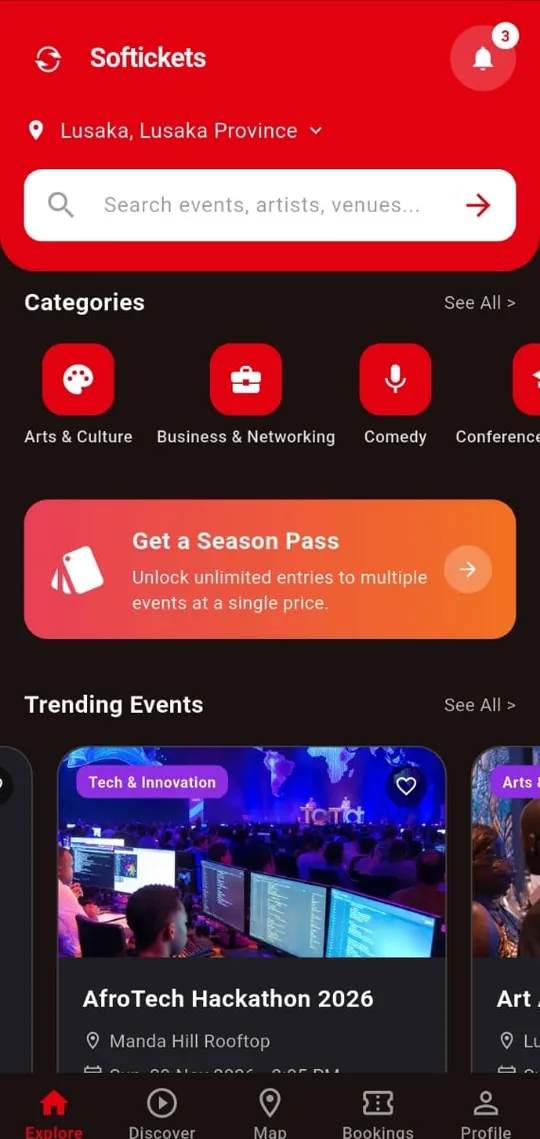
Find what is on, your way.
Search events, artists and venues, pick your city, browse categories, and see trending and upcoming events with prices up front.
Learn more about ExploreSee it before you decide.
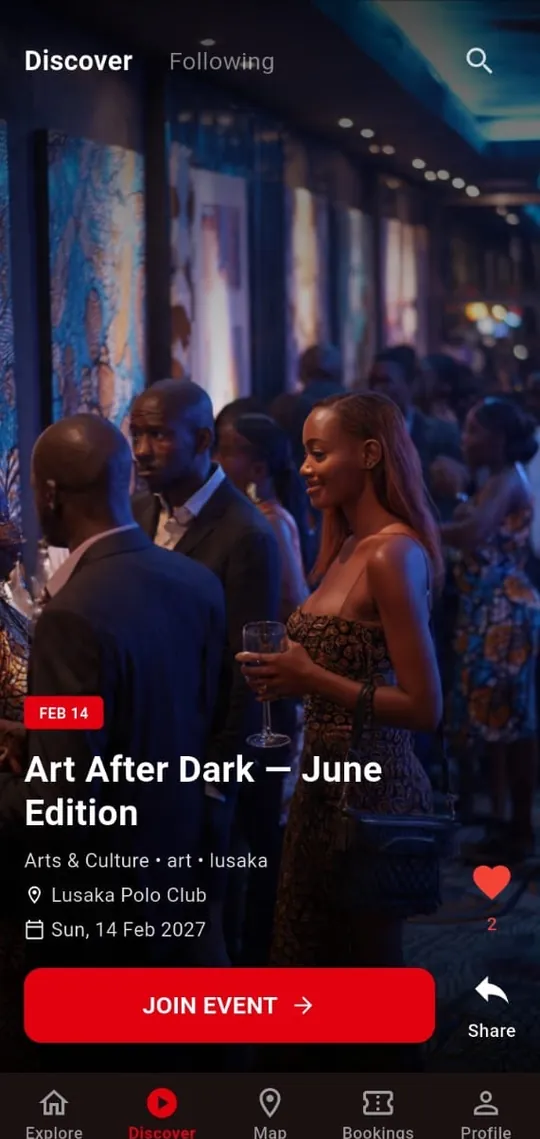
A vertical, full-screen feed with Discover and Following views. Save the ones that move you, share them, or tap Join Event.
Learn more about DiscoverSee what is happening around you.
Open the map to see experiences pinned across your city, with your own location shown, and refresh to update.
Learn more about Map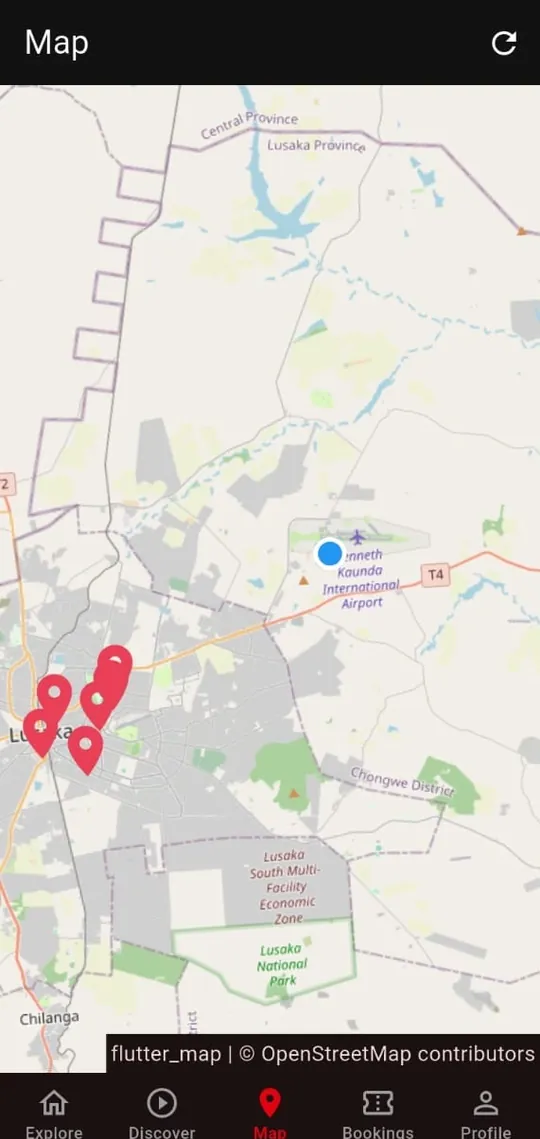
All your experiences in one place.
Switch between All, Upcoming, Saved and Past. Confirmed bookings show a booking ID and View Ticket; saved events are not tickets.
Learn more about Bookings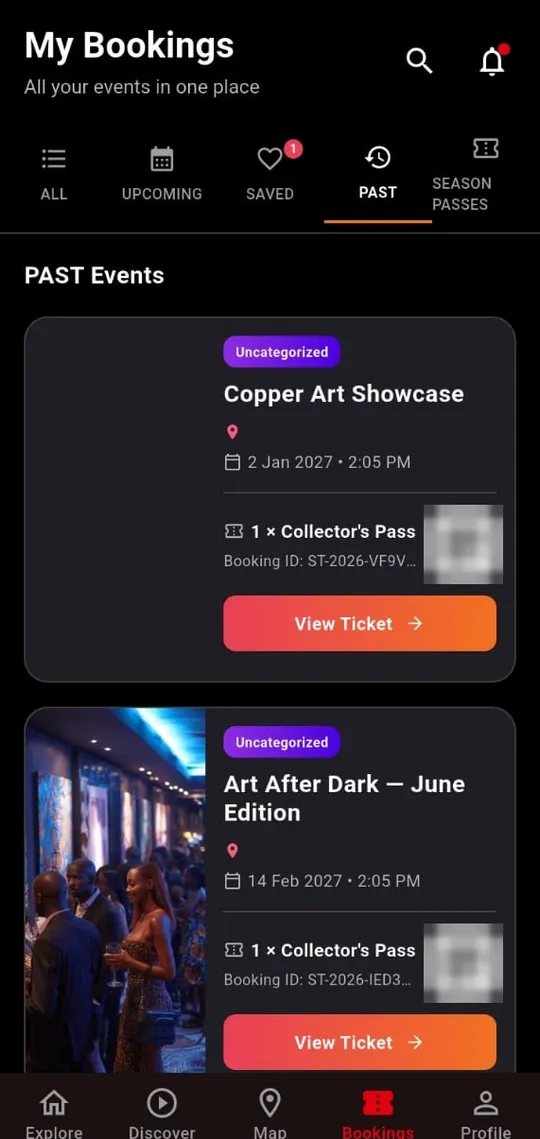
Your account and preferences.
Manage your profile, keep payment methods and payment history together, find coupons, refer a friend and complimentary tickets under Promotions, set your city, and get help.
Learn more about Profile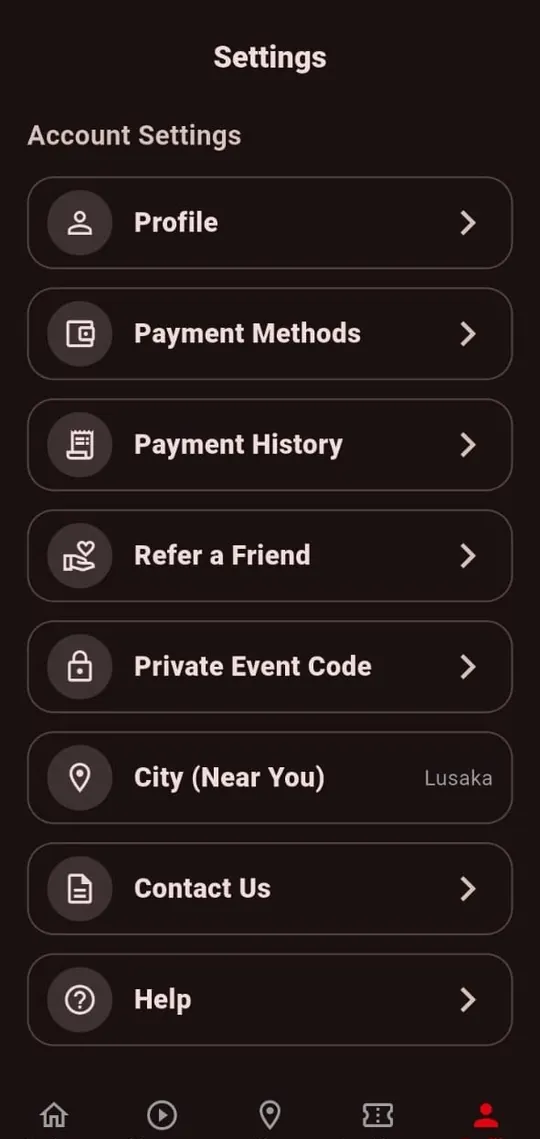
Don’t just search. Discover.
Swipe through a vertical, video-first feed built for the moment you do not yet know what you want. Save what moves you, share it with friends, and tap to join.
- Saving is a bookmark, not a purchase.
- A Data Saver setting is available for lighter browsing.
- Only Public events appear in Discover and in search.
From discovery to being there.
- DiscoverFind something that moves you.
- FeelWatch, read, imagine the night.
- DecideCheck date, place and price.
- JoinChoose a ticket, or claim a free one.
- PayUse an available payment method.
- ConfirmBooked only once payment is confirmed.
- ExperienceShow up and be there.
- ReturnDiscover what comes next.
The exact steps depend on the experience, ticket set-up, inventory, eligibility and available payment methods.
Create the experience. Bring your people together.
Softickets Pro is the organiser app: create events, manage orders, scan tickets at the gate, work with your team and partners, and review performance.
Events
Create, configure, track sales.
Orders
Search and review bookings.
Scan
Camera scanning, typed ticket numbers and offline mode.
Team
Team members and partners.
Two apps. One connected experience.
ASIL
Aslan Softicketing Innovation Limited owns and operates the Softickets ecosystem.
Softickets App
Discover, save, book and attend experiences.
Softickets Pro
Create, sell, scan and manage experiences.
You see the fee before you pay.
Free events are free. They show “Free” as the price and carry no service fee for organisers or guests. For paid events, the customer pays the ticket face value plus a Softickets service fee per successful ticket. Softickets absorbs payment-processing costs and the organiser receives the ticket face value.
fee = MIN( (face value × 8%) + K2 , K35 )
| Ticket face value | Service fee | Customer pays |
|---|---|---|
| K50 | K6 | K56 |
| K100 | K10 | K110 |
| K500 | K35 (cap) | K535 |
| K1,000 | K35 (cap) | K1,035 |
Pay with mobile money


Mobile money shown is referenced in the current app build. Card payments through Lenco’s secure form are also in the build; card details are never stored by Softickets. Other methods are listed only once confirmed. Organiser commercial terms are set out separately in the organiser agreement.
What you can count on.
Honest booking states
Saved is not booked. A ticket appears only after a confirmed booking.
Transparent fees
One published formula and worked examples.
You choose who gets in
Public, Unlisted or Private. Unlisted and Private events stay out of search and open only through a link.
Real support channels
Email, phone and official WhatsApp channels on the Contact page.
Common questions
What is Softickets?
Softickets is an experience-discovery platform built in Zambia. People use the Softickets App to find and attend events and experiences; organisers use Softickets Pro to create and run them. Both are products of Aslan Softicketing Innovation Limited (ASIL).
What is the difference between Softickets App and Softickets Pro?
Softickets App is for customers: Explore, Discover, Map, Bookings and Profile. Softickets Pro is a separate app for organisers: events, orders, ticket scanning, team and payouts.
What is the difference between Explore and Discover?
Explore is where you browse and search experiences, with categories and listings. Discover is a vertical, video-first feed for stumbling onto experiences you did not know you wanted.
What is the difference between saving an event and booking it?
Saving is a bookmark: nothing is purchased and you have no ticket. In Bookings, saved events appear under Saved as “Not Booked”. A booking is confirmed only after payment succeeds and you receive a booking reference.
Which payment methods are supported?
Mobile money (Airtel Money, MTN MoMo and Zamtel Kwacha) is supported in the app today. Other methods will be listed here once confirmed for a production release.
How are service fees calculated?
For each successful ticket: service fee = MIN((ticket face value × 8%) + K2, K35). You pay the face value plus the fee; the organiser receives the face value and Softickets absorbs payment-processing costs. Example: K100 ticket → K10 fee → K110 total. The final amount is always calculated at checkout.
Your next experience is out there.
Be among the first to discover what Softickets is bringing together.
Free to download on Android.